
Step 1: Pick the most you'll pay for one lead
Write down one number before you touch anything. Never run ads before? Use $50. It's a guess, and that's OK.
After 30 days, change it to your real number: money spent ÷ leads.
Your number: $50 a lead
- $50 = your goal for one lead.
- $100 (2 × $50) = an ad that spends this with zero leads gets shut off. That's in part 3.
- $50 = an ad set that spends this in a week with zero leads gets shut off. Also part 3.
You should now see: your number written down. Mine is $50.
Step 2: Paste the starter message into your AI
Open your AI assistant. Copy the box below. Fill in the green parts. Hit send.
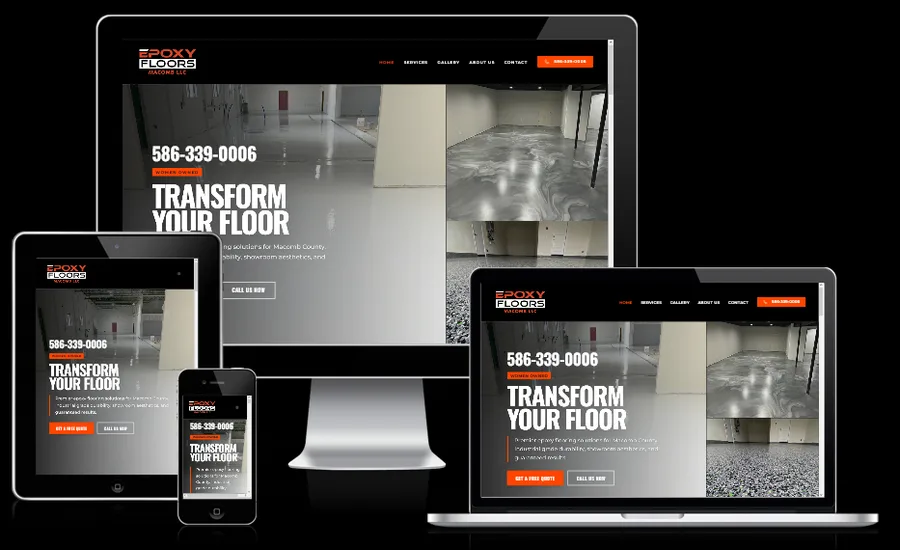
Example for an epoxy company: Business = epoxy garage floors. Area = Macomb plus 25 miles. Offer = free quote.
I want to run Facebook lead ads for my business. Walk me through it step by step. Do the clicking in Meta Ads Manager for me where you can.

Business: [WHAT YOU DO, E.G. EPOXY GARAGE FLOORS]
Area: [YOUR CITY] plus [NUMBER] miles
Best customer: [WHO YOU WANT, E.G. HOMEOWNERS WITH A 2-CAR GARAGE]
Offer: [E.G. FREE QUOTE]
Daily budget: $[AMOUNT]
Most I'll pay for one lead: $[USE 50 IF YOU DON'T KNOW]

Rules:
- Don't publish, turn on, or change a budget until I say yes.
- Only use facts I give you. Never make up reviews, numbers or results.
- Tell me what you'll do in plain English before you do it.
You should now see: your AI says what it plans to do and asks you questions. Nothing is live yet.
Step 3: Ask it to write 3 versions of your ad
Paste the box below. Give it only real stuff: real reviews, real jobs, real photos.
Write Facebook ad text for my business.

Business: [WHAT YOU DO]
City: [YOUR CITY]
Offer: [YOUR OFFER]
Real proof: [REAL REVIEWS, REAL JOBS, YEARS IN BUSINESS]
Photos or video I have: [E.G. BEFORE AND AFTER PHOTOS]

Only use the facts above. If you need a number I didn't give you, leave a [BLANK].

Give me:
1. 3 ad texts: one short, one quick story, one short list
2. 3 headlines under 40 characters, like "Epoxy Garage Floors in Macomb"
3. A 30-second phone video script: hook, problem, what I do, proof, what to do next

Plain words. No hype. Write it like I'm talking to one homeowner.
You should now see: 3 ad texts and 3 headlines to pick from.
Step 4: Pick 2 ads to start
Pick two that feel different. I picked one of me talking to the camera ("Founder - Stop hunting") and one showing real leads in a client's inbox ("Inbox proof").
For a contractor: one video of you on a job, and one before-and-after photo.
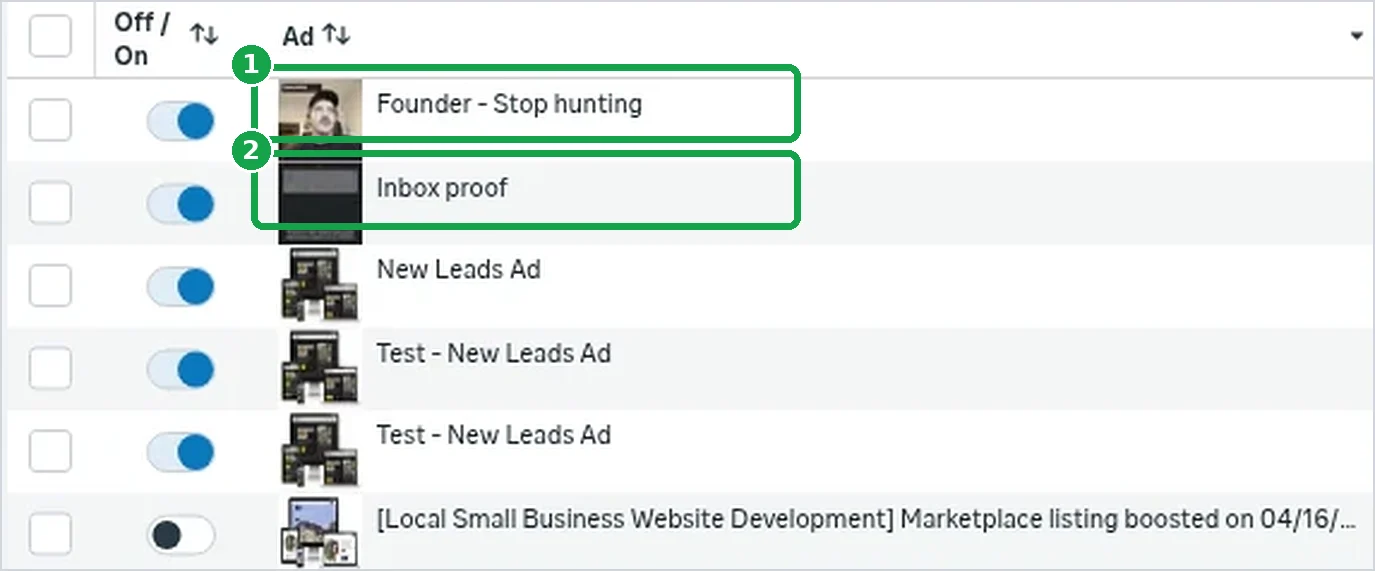
You should now see: two ads you like. Tell your AI which two.
Step 5: Have it build the campaign, but not publish
Tell your AI to build it. Then paste this box so it shows you everything first.
Before anything goes live, show me a short list:
- campaign name
- goal
- daily budget
- area
- which form each ad uses
- the ad text
Tell me anything that could cost more than I expect.
Don't publish yet. Wait for me to say yes.

You should now see: a short list from your AI, and your campaign in Ads Manager.
Step 6: Check the budget and the area yourself
Open Ads Manager. Click your campaign, then the ad set. Look at two things: the daily budget and the location.
Part 2 shows every screen.
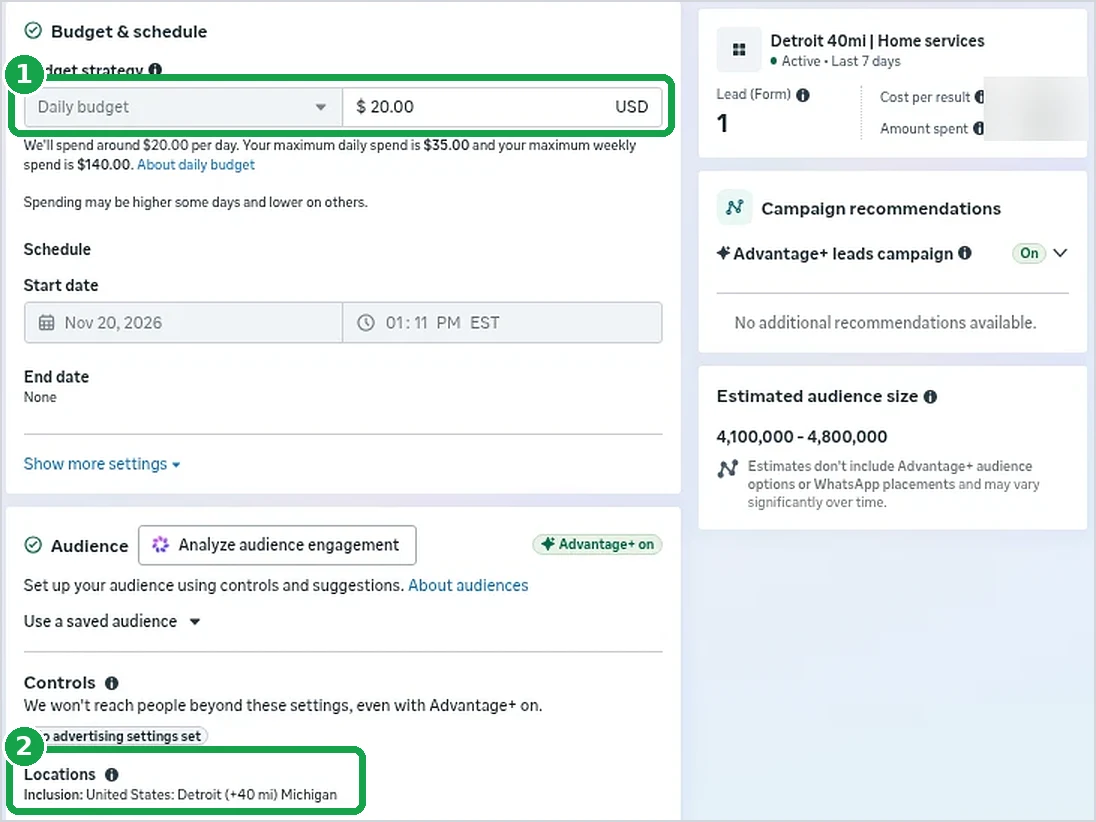
You should now see: your own budget and your own area. If they're right, tell your AI "yes, publish."
Step 7: Turn on the safety net
Set two rules that shut off an ad that spends money with no leads. You do it once.
Part 3 shows exactly what to type.

You should now see: two rules that say Enabled.
Step 8: Check for leads every day
Facebook does not email you when someone fills out your form. You have to look.
Part 4 shows where. Then call them the same day.
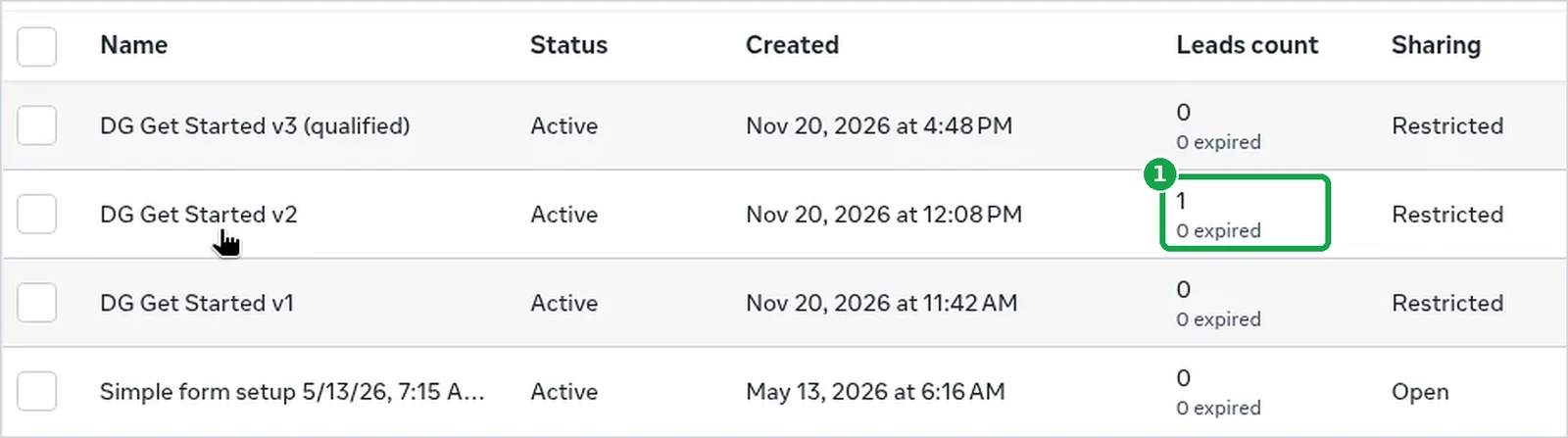
You should now see: a number in the Leads count column. Above 0 means someone is waiting for your call.
What happened in the first 24 hours
My campaign started on Nov 20, 2026. I checked the next morning at 9:33 AM. So this is about the first 24 hours.
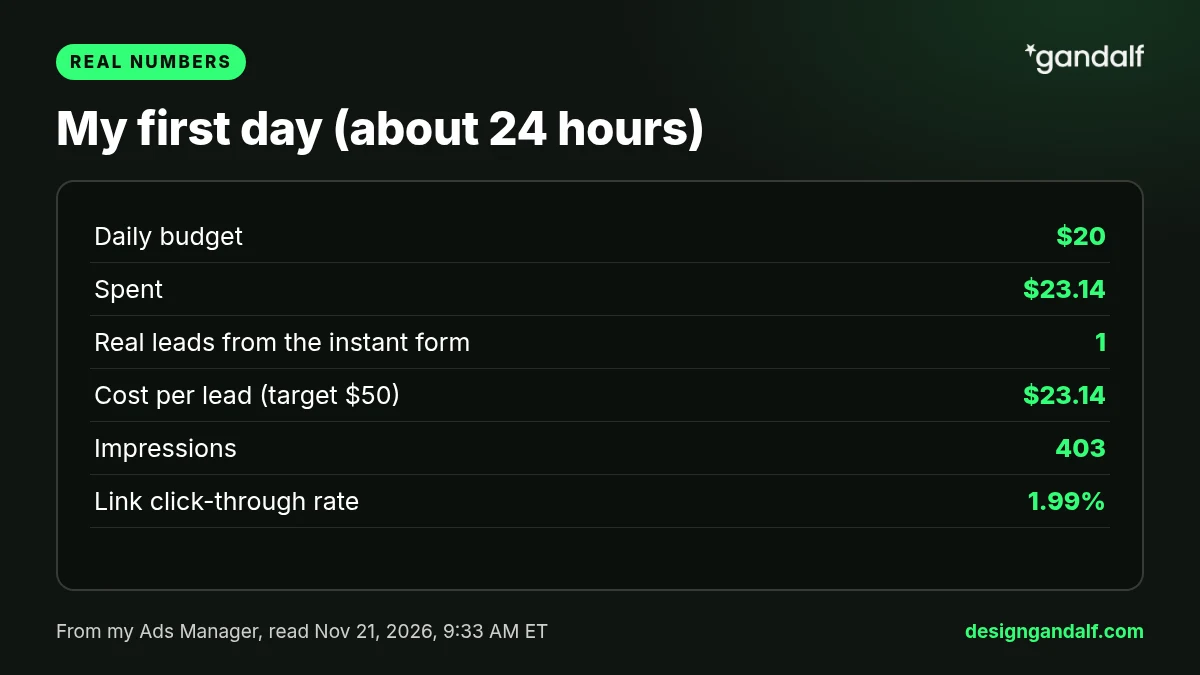
- Budget: $20 a day
- Spent: $23.14
- Leads: 1 real lead from the form
- Cost per lead: $23.14. My goal was $50.
- Impressions (times the ad was shown): 403
- Link click-through rate (people who clicked, out of everyone who saw it): 1.99%
By ad:
- Founder - Stop hunting spent $20.78 and got the lead. It showed a CTR (all) of 4.60% and a CPM (cost to show it 1,000 times) of about $51.63.
- Inbox proof spent $2.36 and was shown 9 times. Facebook put almost all the money on the ad that was working. That's normal.
I almost missed that lead. Facebook didn't email me. I only found it by checking the forms page. That's why part 4 exists.
What my website saw
Ads Manager only shows what happens on Facebook. My site tracker (mywebsitevisits.com) shows my website. These are real screenshots from my phone, just cropped.
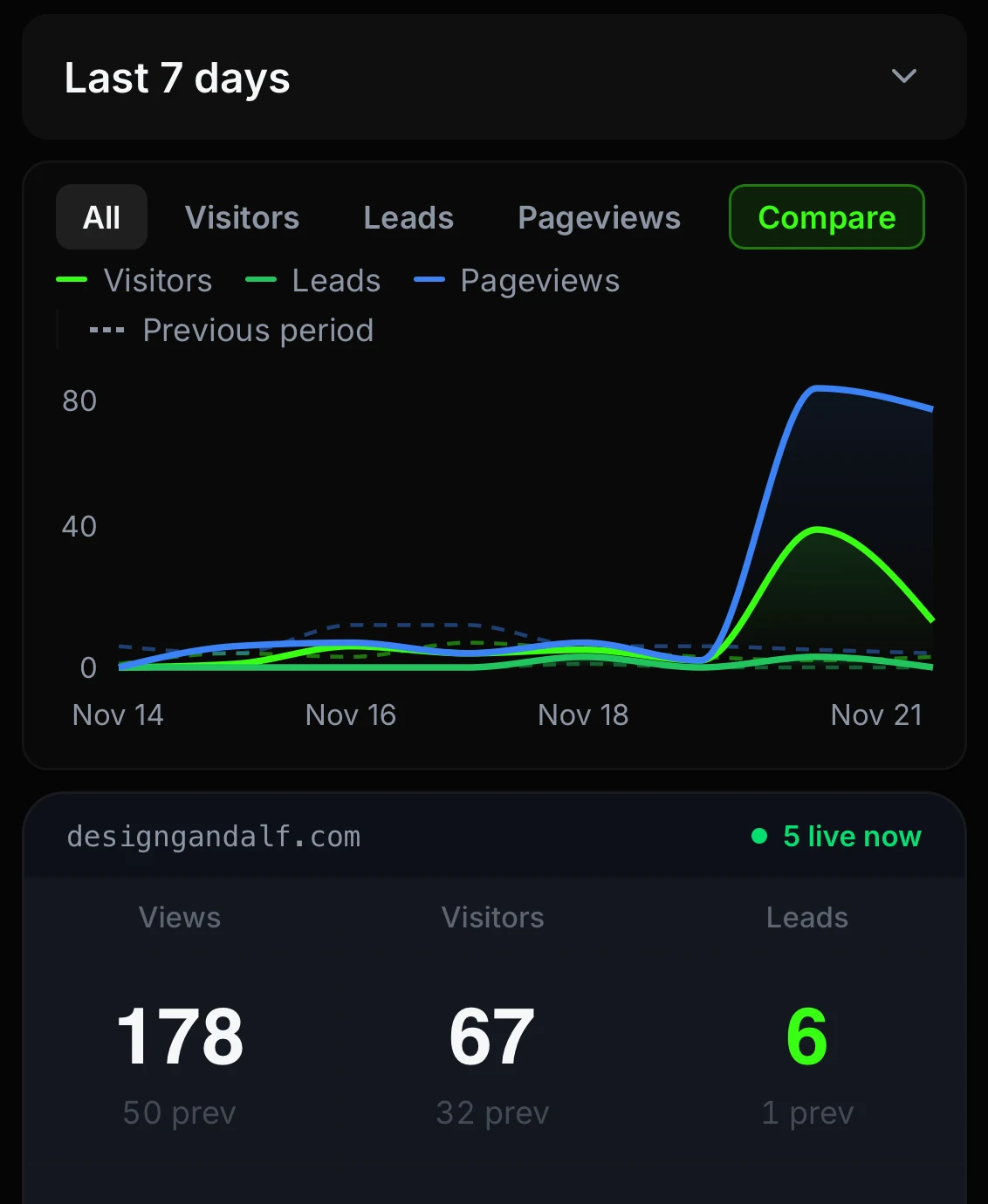
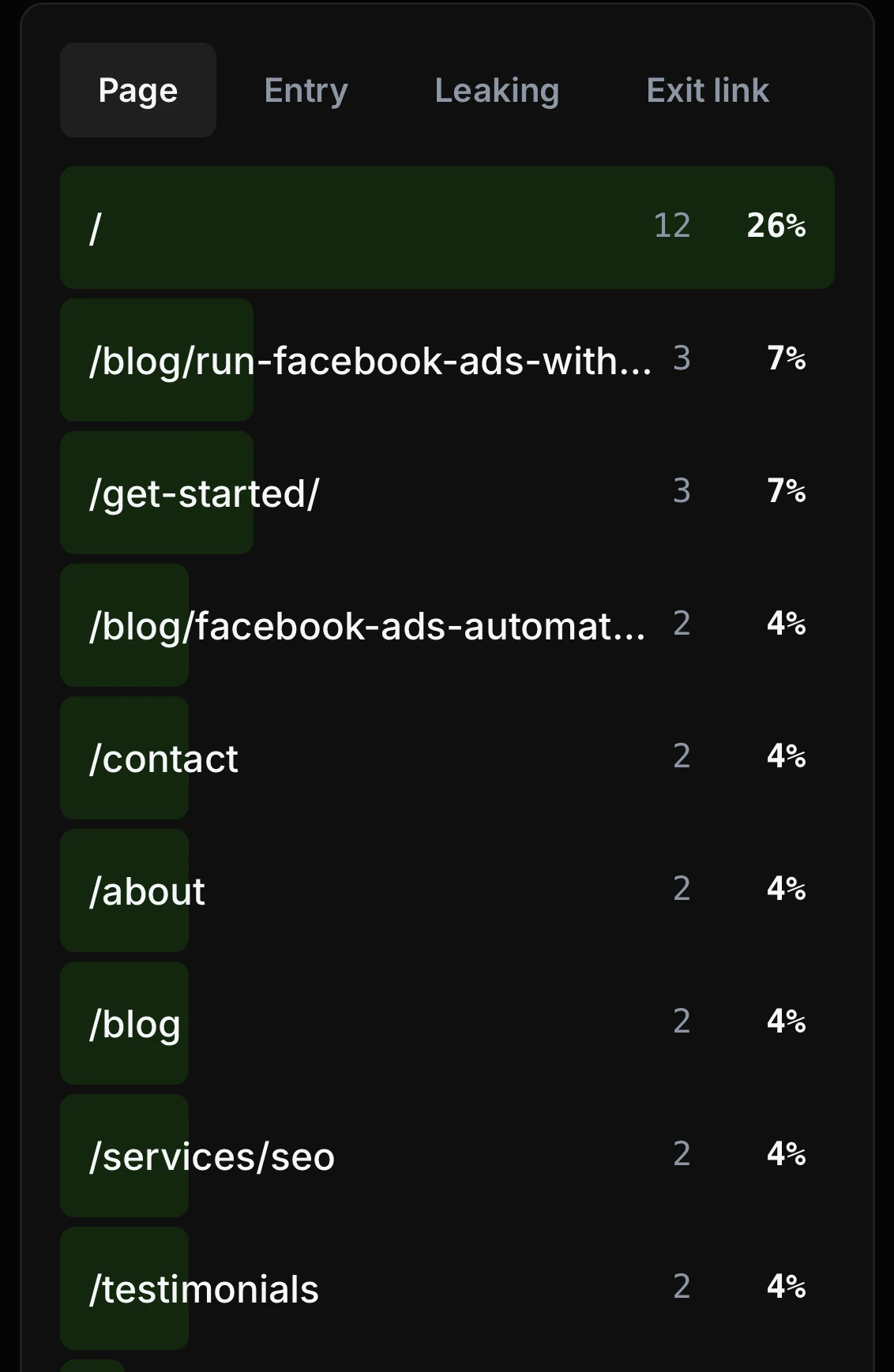
Be honest with yourself:
- One day is way too early to judge. Don't touch it. Every change makes Facebook start learning over.
- A lead isn't a job yet. What counts is how many book an estimate, show up, and sign. Track that yourself.
Want me to set this up for you?
I'm Danny, a web designer in Metro Detroit. If you'd rather have someone set up your ads and the website they point to, tell me about your business and I'll call you back. Or call me at (313) 801-7388.
Tell me about your business